VEX AIR Drone Competition Pick & Drop - Game Manual  | ||||||||||||||||||
Appendix A - Field SpecificationsThis appendix will hold the complete Field reference:
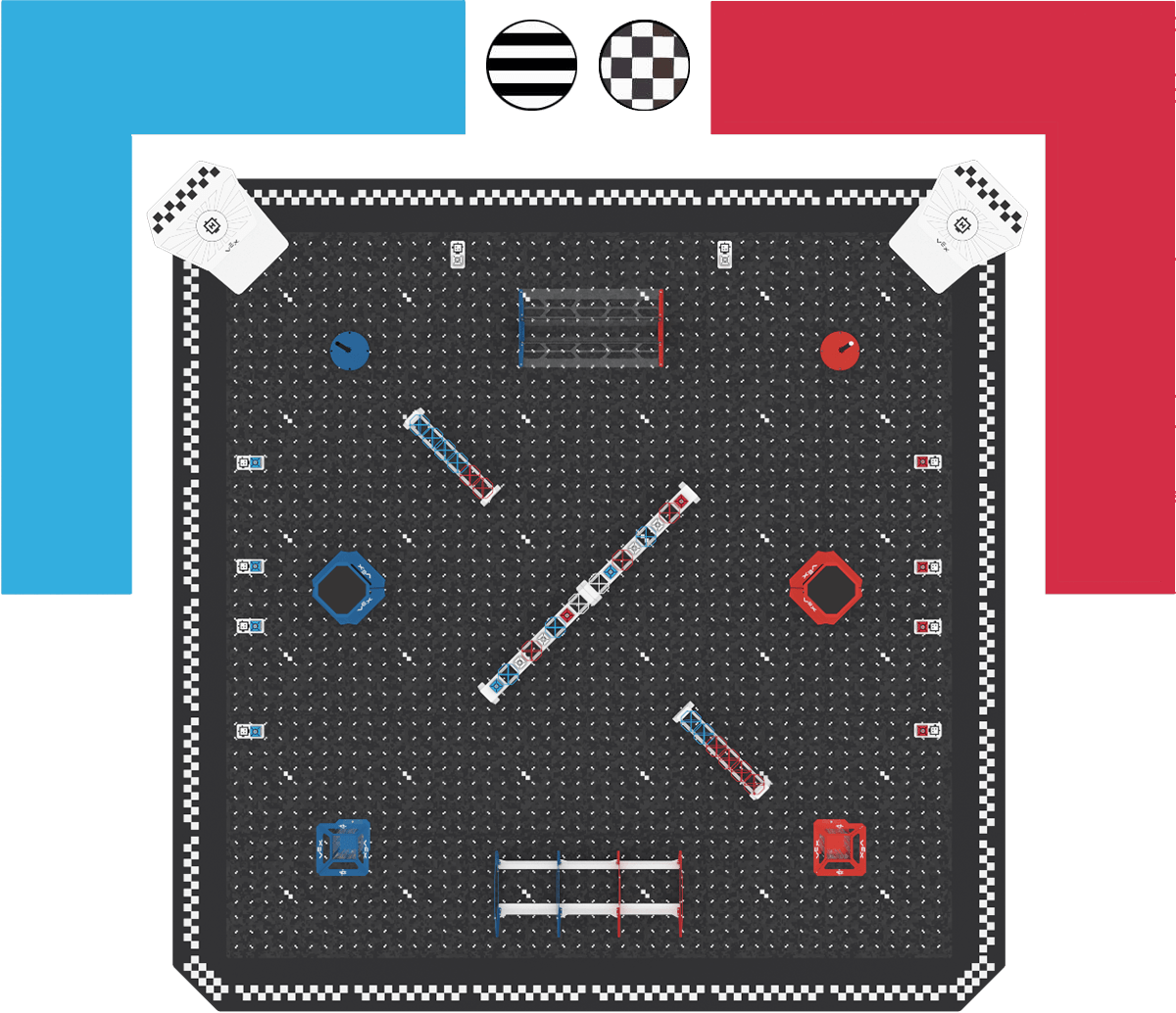
This appendix names the four sides of the Field. Figure FO-1 shows the Flight Station side at the top.
The two corners on the Flight Station side are the Blue corner and the Red corner.
Figure FO-1, from Section 2: where the Head Referee, Scorekeeper Referees and Flight Team Members stand. Bill of Materials – coming soonSection titled “Bill of Materials – coming soon”More details are coming soon. Scoring Object Starting PositionsSection titled “Scoring Object Starting Positions”Set up the Field the same way before every Match. All 38 Scoring Objects start on a Rack or a Cargo Tile Plate. None start on the Field Tiles, in a Goal, or on a Drone. Table A-1: Where Scoring Objects start
Long RackSection titled “Long Rack”The Long Rack Goal runs diagonally across the center of the Field. It holds 16 Scoring Objects total, eight on each side of its center support. Figure A-1 shows the layout of Scoring Objects starting with the end nearest the Blue Cargo Platform Goal.
Figure A-1: From left to right the Scoring Objects in order are: Blue Cargo, Blue Orbit Ball, White Cargo, Red Orbit Ball, White Cargo, Blue Orbit Ball, Red Cargo, two White Orbit Balls, Blue Cargo, Red Orbit Ball, White Cargo, Blue Orbit Ball, White Cargo, Red Orbit Ball, Red Cargo. Short RackSection titled “Short Rack”Each Short Rack holds six Orbit Balls and no Cargo.
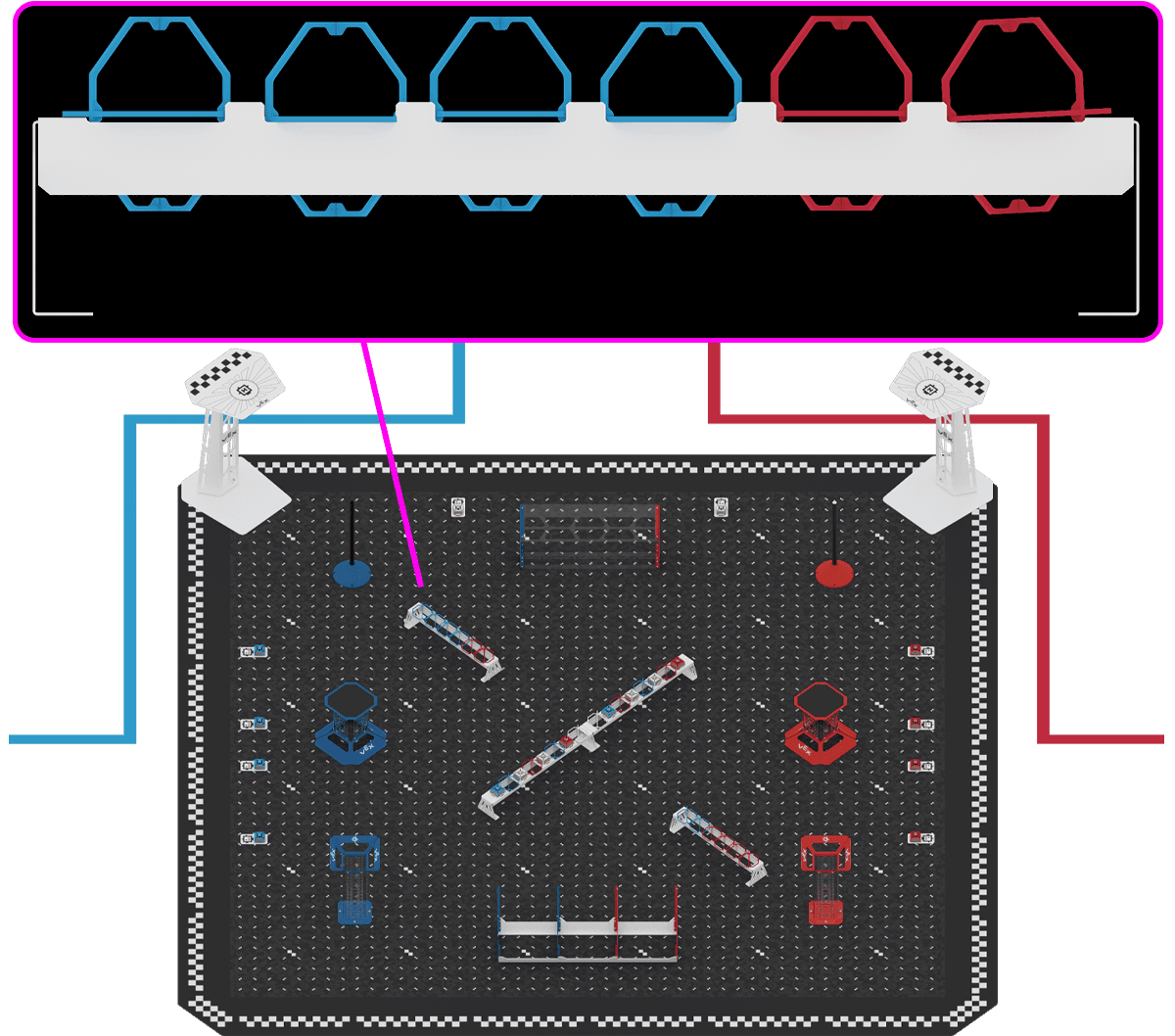
Figure A-2: A close-up of the Blue-side Short Rack showing the Orbit Balls in order above an image of the full Field, with a pink line connecting the close-up to the Blue-side Short Rack on the Field.
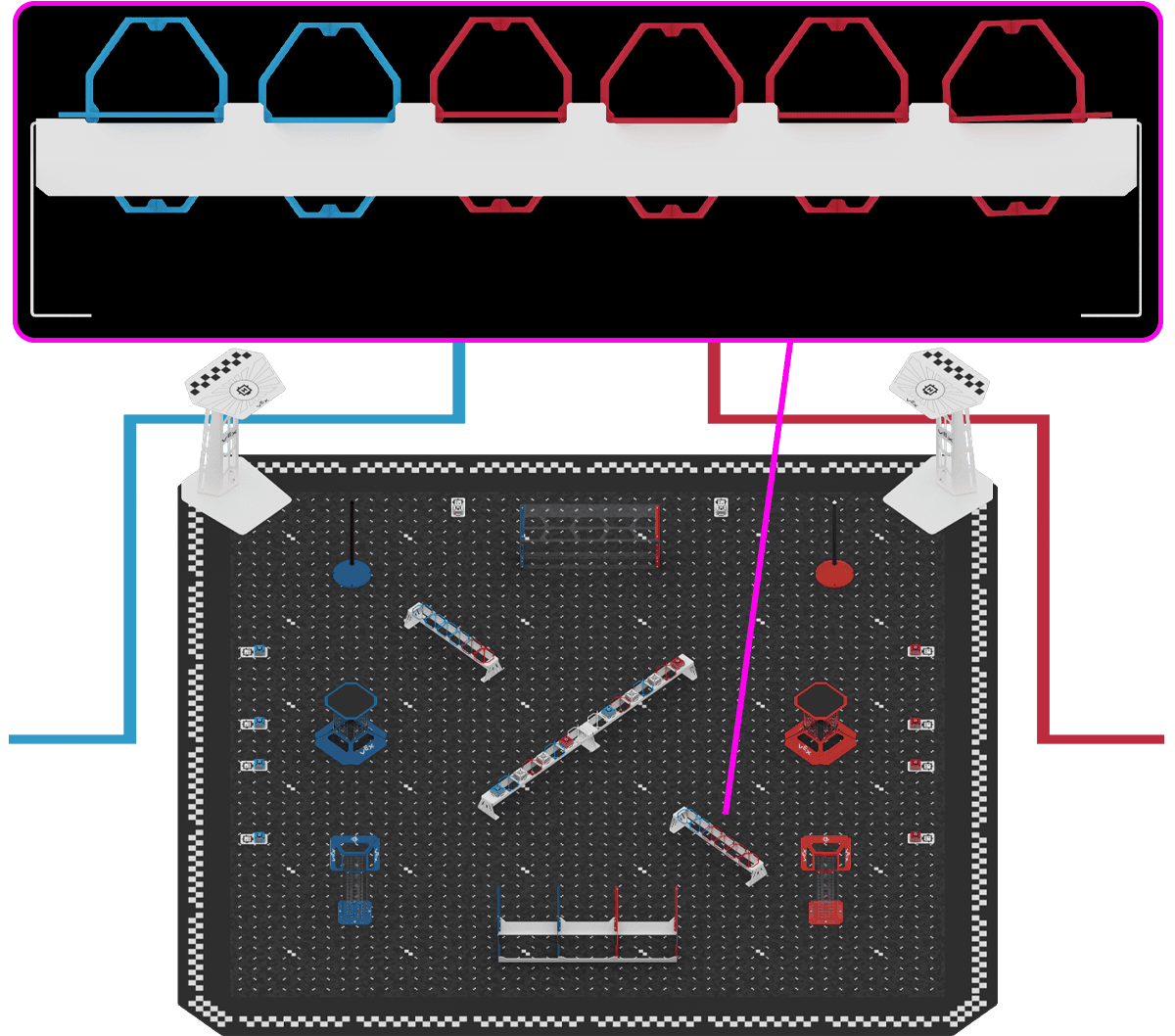
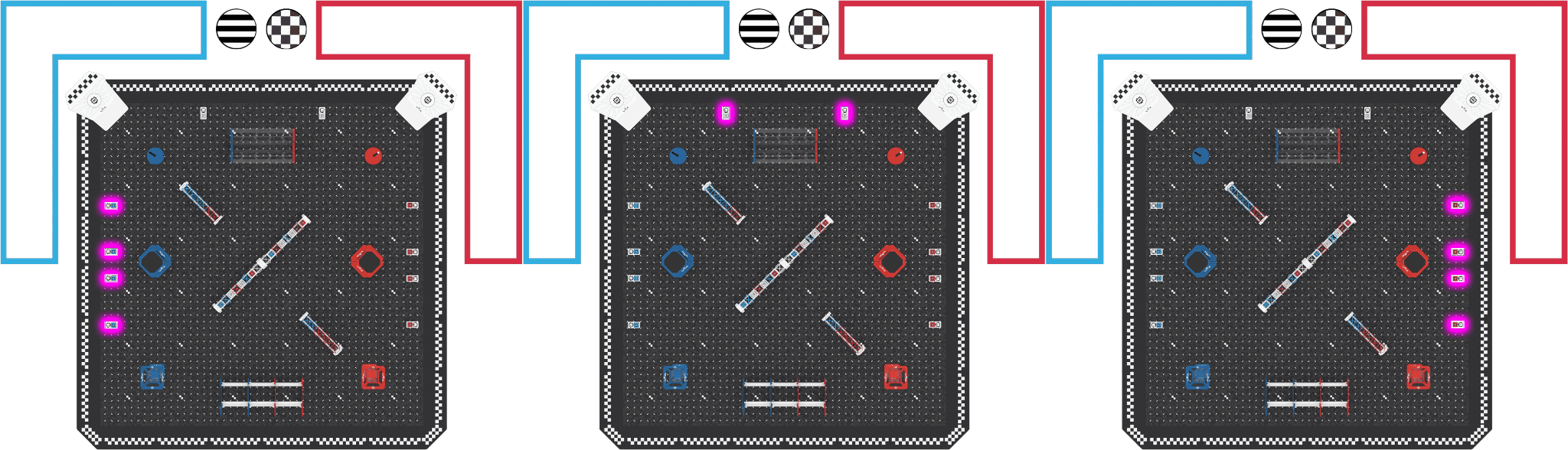
Figure A-3: A close-up of the Red-side Short Rack showing the Orbit Balls in order above an image of the full Field, with a pink line connecting the close-up to the Red-side Short Rack on the Field. Cargo Tile PlatesSection titled “Cargo Tile Plates”Each Cargo Tile Plate holds one Cargo. The organization of the Cargo is described below and shown in Figure A-4.
Figure A-4: Three Field images side by side showing each set of Cargo Tile Plates highlighted in pink. From left to right the Blue side, Flight Station side, and Red side are shown. Field Construction and DimensionsSection titled “Field Construction and Dimensions”Full VEX AIR Competition Pick & Drop Field build instructions can be found at this link. A CAD (.STEP) file of the Pick & Drop Field can be downloaded using this link. More details are coming soon. Venue Guidance – coming soonSection titled “Venue Guidance – coming soon”More details are coming soon. |


↑ ↓ to move · Enter to open · Esc to close